
ReadEra
READERA LLC
Mar 31, 2017
Feb 4, 2026
22 MB
26.02.02+2250
4.1
50,000,000+

What's New?
Premium Unlocked
Description
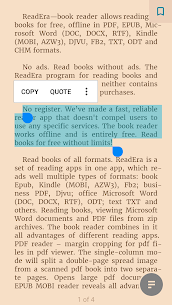
If you’ve ever stared down the barrel of a clunky, ad-riddled reading app and thought, “I just want to read my book,” then ReadEra might be your new best friend. This free, offline-friendly reader skips the account creation, ignores the upsell, and gets you straight to the good stuff: reading in peace.
That alone would be enough to make ReadEra stand out, but it doesn’t stop there. This unassuming little app is an absolute format powerhouse. EPUB? Of course. PDF? Yep. MOBI, DOCX, FB2, DJVU, RTF, TXT, and even ZIP-packed books? ReadEra inhales them all like a book-devouring beast. It’s like someone took every reader you’ve ever tried, stripped out the noise, and Frankensteined together the good bits.
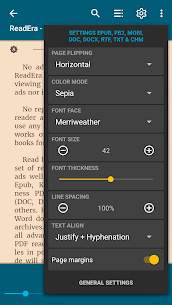
Where ReadEra really shines is in the experience. Page flipping can go vertical or horizontal. Fonts, margins, line spacing, all adjustable. You’ve got Day, Night, Sepia, and even Console mode if you’re feeling moody. The app even nails footnotes in EPUBs and MOBIs by dropping them where they belong: right at the bottom of the page like a real paperback.
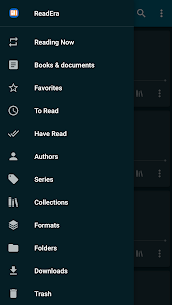
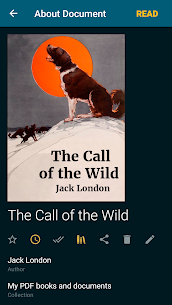
Library management? Surprisingly slick. ReadEra autodetects your files, categorizes them by author or series, and lets you tag books as “To Read,” “Have Read,” or “Favorites.” Bonus points for the Collections tool, which lets you build themed shelves, yes, even if your themes are “Sci-Fi With Space Politics” and “Unfinished Classics I Keep Pretending I’ll Get Back To.”
Want to juggle multiple books at once? You can. ReadEra supports multi-document mode, meaning you can flip between your PDF textbook and your fantasy epic like a true multitasking legend. There’s even a text-to-speech option if you’d rather listen than read.
Of course, there are a few paper cuts. There’s no built-in cloud sync (yet), and while most of the app is gloriously free, a few pro-level features, like syncing with Dropbox or tweaking the TTS engine, sit behind a paywall. But when you’re getting this much without even signing up for an account? That’s forgivable.
ReadEra is the kind of app that quietly earns a permanent spot on your home screen. It’s lean, mean, and built for people who just want to read, without the fluff.
Images

Download links
Join GameNCC on Telegram Today!
How to install ReadEra APK?
1. Tap the downloaded ReadEra APK file.
2. Touch install.
3. Follow the steps on the screen.
Related apps

Best Rated Apps
Latest Apps


