
WPS Office
WPS SOFTWARE PTE. LTD.
Jul 21, 2011
Dec 30, 2025
265 MB
18.24
7.0
500,000,000+

What's New?
Premium Unlocked
Description
Let’s get this out of the way: WPS Office isn’t just “a free alternative” to Microsoft Office or Google Docs, it’s a flex. It’s the kind of app that rolls up with a full productivity arsenal in one tight download and then casually drops an AI assistant into your lap like it’s no big deal. Whether you’re crunching spreadsheets on a commute or rewriting résumés mid-meeting, this mobile suite does more than keep up, it quietly outpaces the competition.
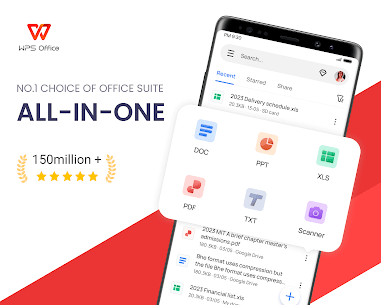
Right out of the gate, WPS Office saves you from the install maze. You don’t need five separate apps for docs, sheets, slides, PDFs, and cloud stuff, just one. Tap a file, and it opens with the right tool. Simple. Elegant. No need for a Microsoft 365 subscription or even an account. Just launch and go. Your move, Big Tech.
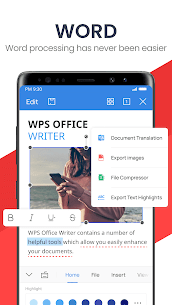
The tablet version? Chef’s kiss. It’s got a clean, color-coded toolbar and a layout that feels lifted from the good parts of Microsoft Word, without all the clutter. The phone version is a little less graceful, more quick edit than deep dive, but it still gets the job done when you’re in a pinch.
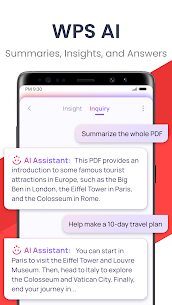
And then there’s the AI magic. WPS AI isn’t some gimmick glued onto the side. It can summarize a long-winded PDF like it’s skipping chapters in a boring book, rewrite your doc with better tone and grammar, or generate fresh content on the fly. Resume? Meeting notes? Event plan? Done in seconds. There’s even an AI-powered scanner and OCR engine for digitizing paper like a pro.
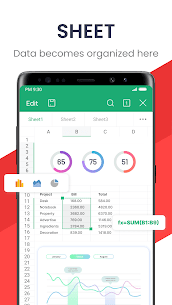
Editing feels smooth, even on older hardware. You can pinch to zoom, highlight with your finger, drag columns in spreadsheets, or laser-point through a presentation like you’re pitching on Shark Tank. It’s not just responsive, it’s fun to use.
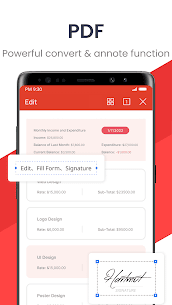
Yes, it’s missing built-in templates and a few advanced PowerPoint tricks. And yes, the phone UI can feel cramped. But those are minor quibbles in an app that handles docs, spreadsheets, PDFs, cloud sync, and AI wizardry, all without asking for your wallet.
WPS Office isn’t trying to be the next Office. It’s already there, but lighter, smarter, and mobile-native to the core. Whether you’re editing on a tablet or chatting with an AI over PDFs, this is the power tool your phone’s been waiting for.
Images
Download links
Join GameNCC on Telegram Today!
How to install WPS Office APK?
1. Tap the downloaded WPS Office APK file.
2. Touch install.
3. Follow the steps on the screen.




Best Rated Apps
Latest Apps


